
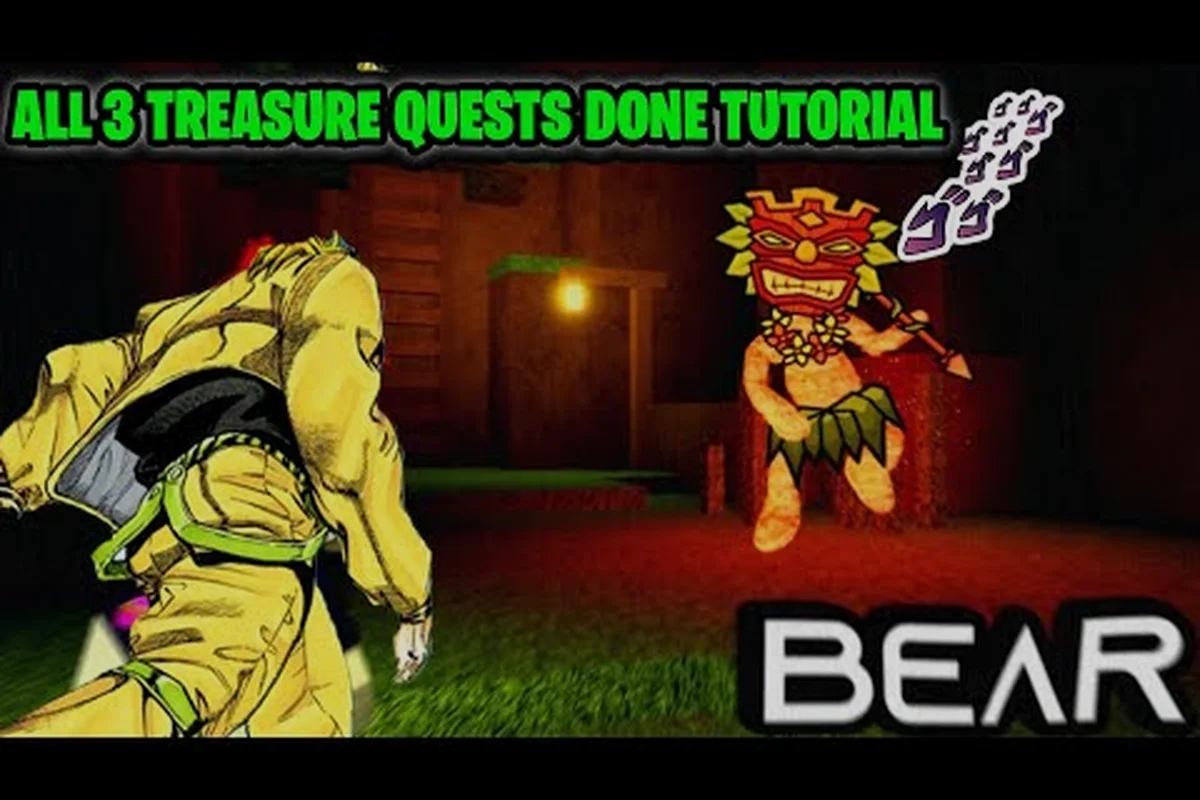
Completing the BEAR alpha treasure quests in one match saves time because every objective is tied to the same active hunt. This bear alpha quest guide maps the dig locations, bounty targets, and achievement requirements so you can clear all three without restarting.
The verified community video BEAR (Alpha) All 3 treasure quests tutorial by TechaX provides a useful visual reference, while the achievement-focused guide from jimmyiscoolguy34 supplies additional player-tested context.
Bear Alpha Treasure Quest Overview
The bear alpha 3 treasure quests are shared-session objectives rather than three unrelated errands. Players can work toward the treasure hunt, collect bounty targets, and meet achievement conditions during the same outing. The main advantage is route efficiency: nearby activity can count toward several requirements without returning to a hub or repeating the full hunt.
Community reports and the verified tutorial above support treating these as active objectives to track while moving around the map. Exact HUD wording and reward values may vary by platform or version, so confirm the current tracker after accepting the quests.
| Objective type | Main action | What to track |
|---|---|---|
| Treasure dig | Reach a marked dig site and complete the dig interaction | Site location and completion state |
| Bounty hunt | Find or defeat the designated target | Target identity and required encounters |
| Achievement challenge | Meet the listed completion condition | Progress counter and final confirmation |
Before starting, learn the basic movement and interaction flow in the BEAR alpha beginner guide. That preparation prevents wasted hunt time from missed prompts, poor route choices, or leaving an area before every local objective is registered.
Confirm the Three Active Requests
Open the quest panel as soon as you enter a match and identify the three active requests. Look for the treasure dig marker, the bounty target, and the achievement tracker rather than assuming the three rewards appear in a fixed order. The active objective tracker is the safest source of truth because it should update as you complete interactions.
Prioritize the treasure dig marker first, then verify the bounty target and achievement tracker against the active objective tracker. For example, if the dig marker points away from your current route, travel there before hunting the bounty target; otherwise, you may complete the wrong request while the tracker still shows all three as active. This order matters because each request can require a different interaction, and a completed dig will not automatically satisfy a bounty or achievement condition.
-
Read the full description of each request instead of relying on its title alone.
-
Note whether the bounty requires one target or multiple hunts.
-
Check whether the achievement counts digs, bounty targets, or a combined sequence.
-
Save a waypoint whenever the marker points beyond your normal travel route.
The BEAR alpha quest help overview can help distinguish these treasure requests from unrelated missions, although the available dependency list does not confirm that sibling URL. In practice, the in-game tracker remains the authoritative checklist because completed or unavailable objectives may change during an active event.
Treasure Dig Route and Quest Walkthrough
The first major step in this bear alpha quest walkthrough is to reach the active dig site. Follow the on-screen marker rather than a remembered coordinate, because the same player-created video may show the route while the live event moves an objective or changes access conditions.
Reading the Dig Marker
A dig marker may point toward a landmark, a building entrance, or an open patch of terrain. Stand close enough for the interaction prompt to appear and watch for an excavation prompt. If the marker is visible but the prompt does not appear, check whether you are facing the actual dig point or whether another player has already completed that attempt.
| Problem | Likely cause | Corrective action |
|---|---|---|
| Marker moves but no prompt appears | You are near the route, not the exact point | Follow the arrow until the marker closes in |
| Dig prompt appears without progress | The interaction needs a held or repeated input | Use the game’s standard interact command and hold briefly if required |
| Quest does not advance after digging | A separate bounty or condition remains active | Check all three trackers before leaving |
| Different players see different prompts | Objective ownership or phase changed | Ask whether anyone has just completed the dig and recheck |
If digging or movement still feels unfamiliar, the survival and controls guide can help with positioning and safe interactions. Keep your route simple: reach the marker, perform the dig, verify that the tracker changes, and only then move toward the bounty target.
Validate Each Completion
Do not wait until the end of the match to confirm progress. A successful dig should immediately remove or update the associated tracker. If it does not, interact once more or consult the quest panel, because an appearance animation alone is not reliable evidence that the objective registered.
Complete nearby bear alpha treasure hunt objectives before committing to a long trip, because each registered dig reduces the remaining requests in the three-quest chain and preserves time for the event timer. For example, confirming the first two treasure quests locally can leave enough of the countdown to travel to the third site and initiate the dig without rushing the final interaction. This approach also makes tracker errors easier to isolate: if one completion does not register after a dig, you can correct that request before crossing the map again.
Bounty Hunt Objectives and Target Tracking
Bounty objectives provide the combat portion of the treasure route. Depending on the current event, the tracker may identify a player, monstrosity, or another designated target. Community content is clearest on the sequence of completing the bounty alongside the treasure requests, while the exact target or spawn rules should always be checked against the live tracker.
Finding the Bounty Target
Begin at the strongest active marker and check nearby buildings, trails, and open areas. The bounty target may already be moving or may be encountered while you travel toward the dig. Avoid wandering far from the event route unless the tracker explicitly points elsewhere.
| Priority | Action | Reason |
|---|---|---|
| 1 | Check the bounty tracker | Confirms the current target type |
| 2 | Follow the nearest relevant marker | Preserves the timer budget |
| 3 | Scan nearby objectives | Hunting and digging may share a route |
| 4 | Confirm completion counters | Prevents an invisible failed interaction |
| 5 | Move to the next request | Keeps all three objectives active |
The BEAR alpha monstrosity guide is relevant when a bounty involves one of BEAR’s dangerous creatures. It explains the bear role’s abilities and movement considerations, which can help when the objective requires locating rather than simply damaging a target.
Bounty Fail-Conditions Checklist
Use the in-game prompt to determine whether the target must be damaged, defeated, or eliminated in a particular way. The community videos support the objective sequence, but they are player reports rather than an official rules reference. Therefore, avoid assigning an exact number of kills unless your tracker displays it.
-
Read the target wording before engaging.
-
Keep the target marked on-screen if the HUD provides that option.
-
Finish nearby dig work before resuming a chase.
-
Check whether leaving the hunt area cancels progress.
-
Avoid confusing the bounty counter with the achievement counter.
Community guides such as How To Get ALL Bear (Alpha) TREASURE HUNT Achievements are particularly useful for confirming which prompts to watch after a hunt. Match the current HUD instead of assuming a fixed target roster, because event objectives can vary by version.
Clearing All Three Treasure Quests Efficiently
A successful bear alpha treasure hunt is mostly a sequencing problem. Complete the dig first if it is close, then handle the bounty while traveling toward any final achievement condition. Save the longest route for the objective that remains active longest.
One-Match Route Strategy
Compare the three markers by distance rather than by the order shown in the menu. Choose a simple loop that minimizes backtracking and keeps the bounty search area near either a dig site or the final objective. This approach turns the three requests into one connected circuit.
| Route pattern | Best situation | Practical result |
|---|---|---|
| Dig, bounty, achievement | Dig is nearest and achievement is farthest | Short, readable first run |
| Bounty, dig, achievement | Bounty target is active nearby | Fewer long searches |
| Dig, achievement, bounty | Achievement lies between the other markers | Bounty closes the route |
| Bounty, achievement, dig | Dig site is on the route home | Avoids a second full traversal |
Use the BEAR alpha map layout reference to compare landmark routes before committing to the three-marker circuit. For example, if the dig site sits beside the path from the bounty marker to the achievement area, favor the “Bounty, dig, achievement” pattern instead of crossing the Alpha map twice. Since event markers and access conditions may shift, treat the map page as spatial orientation rather than a permanent treasure-coordinate list, then verify the live dig-site and achievement locations during the route.
Save Time Without Skipping Checks
The best timer-saving route still requires verification. For the bear alpha treasure quests, use a three-part check after each digging interaction: confirm the bear alpha dig tracker updates, compare the quest objective against the current bounty target, and verify that all three treasure hunt rewards or achievements appear in the panel. If the marker remains but the tracker does not change, the site may already have been completed, so reopening the map or checking the achievement panel can prevent an unnecessary repeat dig.
-
Confirm the dig tracker changes immediately after the interaction.
-
Record whether the bounty needs a new target after one completion.
-
Open the achievement panel after major encounters to check the counter.
-
Reopen the map when a marker becomes unclear.
-
Leave only after all three rewards or achievements are visibly confirmed.
When several players are digging the same bear alpha site, another player may finish the prompt first, leaving a marker that still looks active even though the treasure hunt objective has already advanced. For example, if teammate A completes the dig and immediately shifts the bounty to a new target, teammate B’s dig tracker may fail to update even though the interaction appears successful. Treat the unchanged tracker as a shared-site conflict, not confirmation of progress: pause, compare the bounty target and reward counters, and avoid repeating a dig until the current bear alpha treasure hunt stage is confirmed.
Achievement Requirements and Reward Completion
The achievement side of the event can be completed alongside the three treasure requests, but it should not be treated as a separate free hunt. Its conditions appear to overlap with the same dig and bounty activities, making careful confirmation the main requirement.
Matching Achievement Progress
Open the achievement description after the first dig and first bounty resolution. This reveals whether the listed condition tracks a simple total, a specific target type, or a sequence. The achievement counter should then agree with the quest tracker, although the interface may use separate labels.
| Achievement signal | What it confirms | Action |
|---|---|---|
| Counter increases after digging | Dig progress is registering | Continue toward remaining requests |
| Counter increases after bounty action | Hunt progress is registering | Verify whether the target was correct |
| Counter rises but reward stays locked | A further condition may apply | Read the complete requirement |
| Reward does not appear after the final action | Possible ownership, phase, or UI issue | Recheck every tracker before leaving |
The related Hollow event quest guide from Jay covers a different event objective, so it is best treated as background on event progression rather than proof of exact treasure requirements. The treasure-specific community videos provide the closer match for the current topic.
Final Verification Checklist
Complete this sequence immediately before leaving the hunt area: interact with each of the three bear alpha treasure sites, then verify that every dig interaction has registered rather than relying on the proximity prompt alone. This matters because the treasure dig tracker can update after the visible animation, so a completed-looking site may still require a short server sync before the bounty request and achievement counter update.
-
Confirm that the treasure dig displays as completed.
-
Confirm that the bounty request no longer shows an active marker.
-
Confirm that the achievement counter matches its stated goal.
-
Check that reward notifications appear for all three objectives.
-
Save only after those notifications, because a delayed server update could briefly display stale information.
Community experience supports a conservative completion checkpoint in the bear alpha treasure quest: once all three dig sites are marked complete, remain in the hunt area until the bounty request, achievement counter, and reward notifications confirm the run. For example, if the third treasure dig animation finishes but its tracker still reads as active, wait briefly rather than exiting immediately; the server may still be processing that dig site, and leaving early can prevent the third objective from registering.
Troubleshooting and Timer-Saving Fixes
Failed bear alpha treasure quests often trace to three points: misreading the objective, skipping a confirmation prompt, or leaving the interaction area before the hunt can register. In BEAR’s treasure-hunt flow, the tracker and on-screen feedback are the quickest diagnostic tools: if the prompt does not change after selecting an option, try the interaction again; if the objective updates but no reward appears, remain within range until the completion animation finishes.
Fix the Most Common Problems
| Symptom | Likely explanation | Best fix |
|---|---|---|
| You dug, but the quest did not clear | The dig was not the active dig request | Compare the marker and objective wording |
| The bounty target was defeated, but progress stayed | Wrong target or a required sequence | Re-read the target name and objective type |
| The achievement advanced after the dig | Digging contributes to the challenge | Track the remaining condition |
| The map marker seems wrong | Objective phase or area access changed | Pause and compare with other players’ markers |
| Rewards did not appear | Delayed UI update or incomplete final step | Wait briefly, then reopen the quest panel |
These fixes remain useful even if the live interface changes, because they focus on observable information rather than a fixed number. If you need a quick reminder of movement, danger, and stamina management, review the BEAR alpha survival guide before attempting another match.
A Fast Recovery Plan When Time Drops
If the event timer gets low, remove optional exploration. Complete the nearest active marker, take the bounty target that lies on the shortest route to the final objective, and skip hunting for unrelated targets. The single-match constraint is worth more than collecting a bonus that risks resetting the chain.
If you cannot reach all three Bear Alpha treasure quests confidently, prioritize the nearest active marker and confirm its completion before moving on. For example, complete the closest Treasure Hunt objective, collect its reward, and use that checkpoint as the anchor for the next target on the Bear Alpha 3 treasure quests route. This approach preserves the single-match constraint because a completed tracker reduces the risk of spending the remaining event timer crossing the map between distant markers.
Frequently Asked Questions
Can all three BEAR alpha treasure quests be completed in one match?
Yes, the three treasure-related objectives can be pursued during the same match. The key is to track the dig, bounty, and achievement conditions together, then move between their active markers without repeating long distances. Community tutorials demonstrate the single-match approach, although current HUD wording may vary by version.
What should I do first in a bear alpha treasure hunt?
Start with the active marker closest to your current position rather than following the menu order automatically. Complete the dig if it is nearby, check the bounty tracker, and review the achievement counter after each major action. This keeps the route flexible and reduces the chance of reaching a distant objective with little time left.
Where do I verify progress for the bear alpha 3 treasure quests?
Use the in-game quest panel and achievement tracker to confirm each state. A successful dig should update its request, while a bounty resolution should refresh the hunt counter or clear its marker. If the display remains unchanged, re-read the target wording and interact with the marked objective again before leaving the area.
Do I need to repeat treasure digs for the achievement?
That depends on the exact achievement currently displayed in your match. Some progress may increase after a dig or bounty action, but the tracker is the authoritative source for required totals and conditions. Read the full achievement description before assuming that one dig, several digs, or a specific target type is required.