
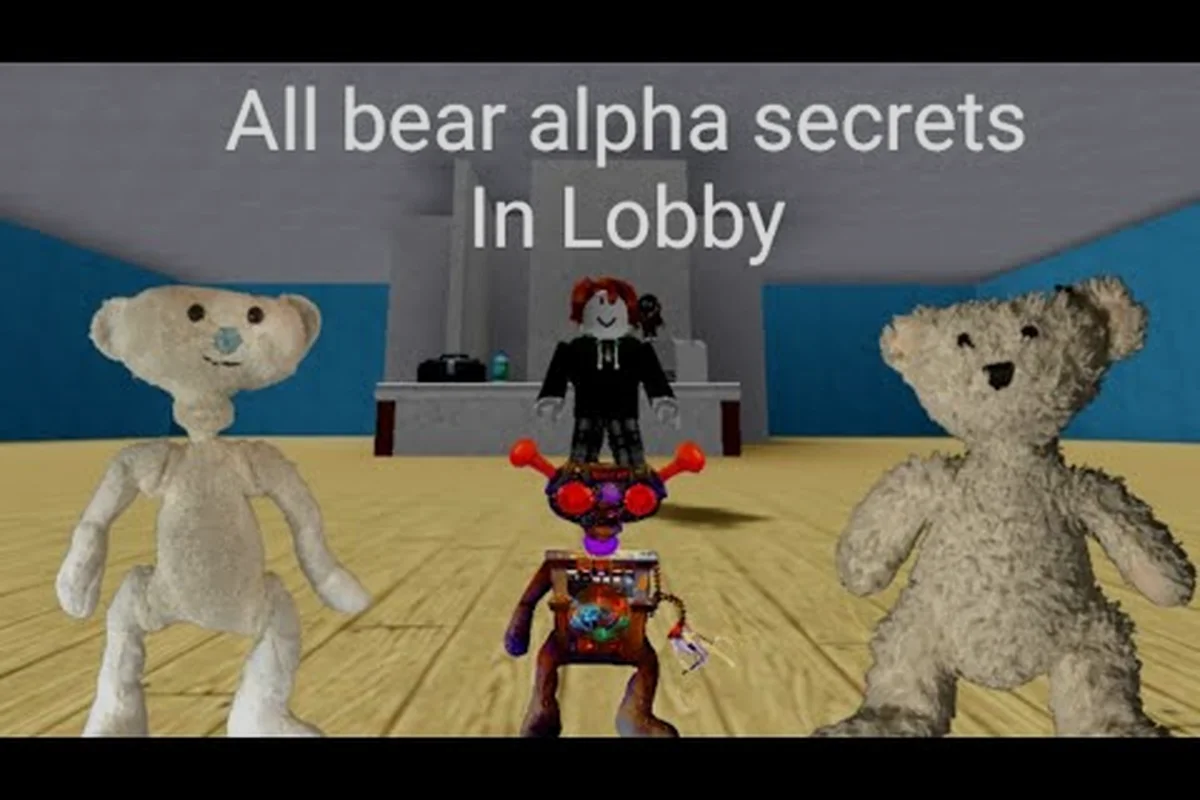
The bear alpha lobby guide matters because the lobby determines your opening upgrade options, reward selection, and preparation window for each round. For example, checking hidden lobby features before committing to a reward path can reveal an objective or resource bonus that would otherwise be missed. Timer planning is equally important: if the round countdown expires before you inspect a concealed interaction, you may enter bear alpha with fewer resources than intended. A useful routine is to review the visible lobby panels first, test concealed spots, then compare the remaining timer with the preparation tasks you still need to complete.
Bear Alpha Lobby Guide: What to Check Before Your First Round
The BEAR alpha lobby is more than a waiting area: it is where players organize their approach, inspect available features, and prepare for the next survival challenge. A useful bear alpha lobby guide should focus less on guessing secret buttons and more on building a repeatable routine. Community videos, including MiltonJLP’s BEAR lobby secrets video, show players exploring returning rounds, survivor objectives, flashlight discipline, line-of-sight breaks, and escape routes.
Because BEAR is still in Alpha, interfaces and rewards may change between updates. Treat community discoveries as player-reported observations rather than permanent developer guarantees. The most dependable approach is to compare what you see with the table below, test unfamiliar options outside an active round, and record which features actually produce a visible response.
| Lobby element | What players should inspect | Practical purpose |
|---|---|---|
| Main lobby panels | Locked, glowing, or unusually small buttons | Reveals optional menus and event entry points |
| Round selection | Unlocked entries and queue states | Helps identify which modes are currently available |
| Reward area | Tooltips, icons, and claim buttons | Tracks progression without wasting time |
| Settings and controls | Flashlight, movement, and audio options | Supports a more consistent survival setup |
| Return or exit control | Confirmation prompts and state changes | Prevents accidental round loss |
| Social or event display | Temporary labels and countdowns | Highlights limited-time rewards |
A compact inspection routine prevents missed details. Look around the room boundaries first, because obvious interactable elements tend to occupy the center of players’ vision. Then check panels near the entry path, move one step away from each option to test whether a highlight changes, and avoid confirming a purchase until you have read the item name and cost.
Start with a three-minute lobby scan
The first visit should be methodical rather than frantic. Walk along the main wall, interact with every visible panel, and note whether the response is a popup, a new room, a cosmetic change, or no response at all. Some hidden menus remain accessible only after certain events, so an empty slot today may still be worth checking later.
Next, watch how the lobby changes when a round is selected. Buttons can move, disappear, or reset depending on your state, and community reports indicate that temporary event interfaces are particularly easy to miss. The BEAR beginner guide can help establish the basic role and objective loop before you experiment with optional routes.
Separate permanent controls from temporary features
Permanent controls should be tested once, then used normally, while temporary features require repeated checks because event rewards, challenge counters, and unlocks may rotate during a BEAR Alpha session. For example, if a Night lobby shows a temporary challenge tracker, note its reset time before queuing; if a ready queue changes after a round, treat that prompt as a progression tracker rather than a lobby setting. This classification prevents missed rewards and accidental interference with a ready queue.
| Signal | Likely category | Recommended response |
|---|---|---|
| Always visible before queueing | Permanent control | Configure once, then verify before each match |
| Appears only during an event | Temporary feature | Inspect immediately and note its reset time |
| Changes after completing a round | Progression tracker | Claim rewards and record the result |
| Offers several uncertain choices | Risk or reward panel | Read every label before selecting |
| Leads to another room | Sub-lobby or mode entry | Check for a return option before proceeding |
Bear Alpha Round Guide: Read Objectives Before You Queue
Choosing a round incorrectly can cost more time than any hidden-menu secret. The relevant lobby information is not always presented in one place, so players should read the active objective, check their available equipment, and confirm the selected mode before entering the queue. This creates a cleaner bear alpha round guide based on observable lobby cues instead of assumptions.
Start with the primary objective panel. Determine whether the active challenge concerns survival, escape, item collection, or another task. Then compare that goal with your current loadout. A flashlight-heavy setup may be useful for checking corners, but the community-survival tips in stretchedguts’ BEAR Alpha survival video emphasize discipline and route awareness rather than relying on light alone.
Confirm your role and available actions
Your role determines which lobby choices matter. A survivor should review escape-related options, environmental awareness, and item availability. A creature or pursuer should understand detection cues, pursuit routes, and timing opportunities. If the interface does not clearly identify the role, read the briefing text before confirming.
| Pre-round check | Survivor priority | Pursuer priority |
|---|---|---|
| Objective panel | Know the required survival task | Know the target condition |
| Equipment display | Carry only useful items | Identify useful speed or detection tools |
| Audio options | Hear nearby environmental cues | Recognize directional audio cues |
| Flashlight state | Save power and limit exposure | Turn away only when strategically safe |
| Queue status | Avoid entering during unintended mode | Confirm the match variant |
Role clarity also improves teamwork without requiring complex voice communication. A survivor who understands the objective will usually make better use of an escape route, while a pursuer who knows the match variant can avoid repeating the same pursuit line every round.
Check the lobby after each return
Returning to the lobby is a useful audit because some panels may refresh only after a match ends. Look for changed counters, newly available claims, altered round descriptions, or a previously locked menu. This is also when players can compare the active mode with their last result and decide whether the next attempt deserves a different loadout.
Do not assume that every glowing object is a reward. Some may mark event status, indicate a queue, or simply provide decoration. Interacting without reading the prompt can consume currency or select an unwanted mode. The safest sequence is read label, inspect cost, confirm reward, then queue.
Bear Alpha Timer Guide: Turn Countdowns Into a Preparation System
Timers determine when you need to act, but their value comes from planning rather than rushing. A reliable bear alpha timer guide teaches you to classify each countdown, reserve time for decisions, and keep a short checklist ready. Since Alpha interfaces can change, use the timer examples below as a process model instead of assuming fixed durations.
Classify the countdown before optimizing it
There are three practical timer types in the lobby: queue countdowns, event windows, and round-related status indicators. A queue timer may simply require you to act before a match starts, while an event timer can govern a reward or menu. A round status indicator may not be a strict deadline at all.
| Timer type | Best response | Mistake to avoid |
|---|---|---|
| Queue countdown | Finish setup, then join early | Entering while controls are still changing |
| Event reward window | Inspect claims before it ends | Claiming late without checking requirements |
| Round status indicator | Read the label and plan around it | Treating every number as an identical deadline |
| Visual transition | Pause and identify the new state | Spamming inputs during a screen change |
Community observations can reveal overlooked BEAR Alpha interfaces, but treat them as leads rather than confirmed instructions: verify the icon placement, timer label, and claim requirement in the current build before acting. Since no official BEAR Alpha wiki was identified in the supplied research, a feature may be renamed, relocated, or removed. For example, if a player reports a shortcut near the queue countdown, test whether it still opens the expected lobby panel after a patch rather than assuming the shortcut remains available.
Use a 30-second preparation loop
When the lobby offers a short preparation window, divide it into three tasks. Spend the first ten seconds confirming the mode and objective, the next ten checking equipment and reward status, and the final ten reviewing the route you expect to use. This approach works even if the exact countdown changes.
| Time remaining | Action | Result |
|---|---|---|
| 30 to 21 seconds | Confirm role, mode, and objective | No accidental queue entry |
| 20 to 11 seconds | Review equipment and event claims | Fewer forgotten rewards |
| 10 to 1 seconds | Locate an exit or approach the queue | Better response to the transition |
This checklist matters because visual pressure encourages repeated clicking during the Bear Alpha lobby countdown. When bright confirmation buttons, reward notices, and queue prompts receive equal emphasis, urgency can push you into a premature interaction before the mode, equipment, or event rewards are ready. A written routine helps separate required actions from decorative prompts: for example, confirm the round objective first, then check equipment and claimed rewards, and only afterward move toward the queue or exit. This reduces accidental starts and missed claims while keeping the Bear Alpha preparation timer useful rather than stressful.
Bear Alpha Night Guide: Use Lighting Without Giving Away Your Route
Night conditions make the lobby’s lighting settings more important because the same choices can affect visibility, attention, and personal comfort. This bear alpha night guide focuses on what players can evaluate before entering a round: flashlight behavior, audio priority, screen readability, and whether the selected loadout creates an avoidable disadvantage.
Community videos such as Nuggetand’s BEAR Alpha skin guide cover reward-oriented progression in the lobby, while broader community reports emphasize flashlight discipline and breaking line of sight. These are useful leads, although each Alpha feature should be tested in the current interface rather than treated as a fixed rule.
Build a night-friendly control profile
Begin with the smallest setting that still reveals essential information. A bright flashlight may expose you during movement, while an overly dim setting can make menus difficult to read. The better profile balances lobby usability with in-round awareness. The BEAR settings guide is useful for organizing control and visual preferences before a match.
| Setting area | Low-impact approach | Why it helps |
|---|---|---|
| Flashlight brightness | Increase only when necessary | Preserves situational awareness without constant exposure |
| Interface brightness | Keep text readable at a glance | Reduces menu selection errors |
| Audio mix | Prioritize directional cues | Helps identify nearby movement |
| Camera sensitivity | Adjust for consistent turns | Reduces accidental route changes |
| Screen effects | Lower if they obscure details | Keeps important silhouettes visible |
Do not change several settings at once during a countdown. If brightness, sensitivity, and audio all shift together, you cannot tell which adjustment caused the difference. Make one change, enter a short test area if available, and then settle on a profile that remains readable.
Treat the lobby as a route-planning space
Lighting is not only about seeing the bear; it is also about understanding where you will move after the match starts. Stand near the intended exit and identify what remains visible from that angle. Notice whether the interface offers a map, route hint, or tutorial prompt that you had overlooked during your first visit.
| Area to examine | What to look for | Hidden-value clue |
|---|---|---|
| Entry corridor | Small prompts near corners | Optional exit or event access |
| Lower screen edge | Partially hidden claim buttons | Rewards missed by hurried players |
| Far wall | Low-contrast panels | Menus hidden from a standing viewpoint |
| Room transitions | New sound or lighting cue | Separate challenge or reward room |
| Character preview | Cosmetic names and requirements | Progression goals for later visits |
These checks support the broader goal of this bear alpha lobby guide: reveal useful options without requiring risky experimentation. If an interaction produces a clear confirmation screen, read it before proceeding. If nothing appears, record the location and return during the next event or after a completed round.
Hidden Menus, Rewards, and Other Overlooked Features
Hidden features become easier to find when you separate the lobby into visual zones. Community experience suggests that players often focus on the center and miss small prompts near edges, lower corners, and secondary doors. Since a verified external source in the supplied research is a player video rather than official documentation, every reward or shortcut should be verified personally before being treated as permanent.
Use a room-edge search pattern
Search clockwise, beginning with the wall where the player enters. Step toward each suspicious element until it highlights, then back away to test whether the prompt depends on proximity. Inspect the ceiling line and floor because players naturally focus at eye level. Complete one full pass before opening a random sub-room.
| Search zone | Common missed detail | Test method |
|---|---|---|
| Entrance wall | Queue confirmation or mode switch | Stand near it and read all labels |
| Lower corners | Small reward or settings controls | Crouch or change camera angle |
| Upper corners | Cosmetic or event indicators | Aim slightly upward |
| Side doors | Sub-lobby or challenge access | Check for a separate interaction range |
| Floor edge | Case buttons or alternate prompts | Change viewpoint before concluding |
Rewards may be cosmetic, progression items, or event-related entries. The BEAR returning-player guide can help organize progress checks, while community videos such as Cocajola’s Hallow event guide provide a lead for time-sensitive backpack rewards.
Keep a simple discovery log
Record only the date, location, requirement, and result. Screenshots can help, but a short written note is faster when you return. Mark each feature as repeatable, event-only, or unconfirmed. Repeatable options deserve a place in your standard checklist, while event-only features should be checked whenever the lobby announces a limited activity.
A practical BEAR Alpha lobby log looks like this: use one row per interaction and capture the exact trigger, not merely where the object appeared. For example, record “center panel + glowing button + cost confirmation” instead of just “center panel,” because a nearby prompt may work repeatedly while a marked event area can only activate during its announced window. This distinction makes the log useful for the bear alpha round guide, bear alpha timer guide, and bear alpha night guide, especially when the same lobby station behaves differently after a daytime round or during a limited event.
| Date | Lobby location | Interaction | Result | Status |
|---|---|---|---|---|
| First visit | Lower-left wall | Press nearby prompt | Claim screen opened | Repeatable |
| Event day | Far-side door | Enter marked area | Reward room appeared | Event-only |
| First visit | Center panel | Selected glowing button | Cost confirmation appeared | Read before confirming |
Never enter missing values or share an unverified reward cost as fact. The current build may change prices, requirements, and event windows, so record each lobby interaction as confirmed, estimated, or unconfirmed and retain the exact wording of any cost confirmation prompt. For example, if the center panel displays “2:30 remaining,” note that timer alongside the trigger; this prevents confusing a BEAR Alpha round timer with a BEAR Alpha night event window. A personal log prevents repeated effort while still allowing corrections when the developer updates the game.
Verify hidden features in a safe order
Start with no-cost observations, then test confirmation screens, and only then consider purchases or progression choices. Read every requirement before confirming. If a menu can be dismissed safely, note whether it reopens from the same location. This method is especially valuable for players trying to complete progression checklists.
A Repeatable Checklist for Every BEAR Alpha Visit
A complete bear alpha lobby guide can be reduced to a reliable visit sequence. Start with the objective, scan the room, inspect temporary claims, check the timer, and only then queue. Repeating the same sequence makes rare features easier to spot and prevents progress from being left behind after a successful round.
Five-minute lobby checklist
Use this checklist whenever you return from a match or arrive during an event to prevent the common lobby mistake of exploring only familiar options while overlooking newly unlocked panels. In the bear alpha round guide, treat every lobby visit as a state check: compare the current role and objective, scan the full map boundary for interactable panels, and review temporary counters or event claims before queueing. For example, a panel that appears after a previous round may reset a bear alpha timer, alter the reward condition, or expose a new lighting route. Because the lobby can change between rounds, a quick visual sweep of lower and upper corners is more reliable than relying on the layout you remember. Confirm the intended mode and escape route before starting, then use the countdown window to make a deliberate decision rather than rushing into an outdated setup.
-
Read the current role and objective before entering a queue.
-
Walk the full room boundary and inspect lower and upper corners.
-
Check event claims, temporary counters, and reward buttons.
-
Review the timer category and reserve enough time for a clear decision.
-
Confirm your equipment, lighting preference, and intended escape route.
-
Queue only after verifying the selected mode.
The checklist works because each step answers a different question: where you are, what matters now, what changed, how long you have, and what you are taking into the round. In the bear alpha lobby guide, this means cross-checking the current role and objective against the round’s active modifiers, then comparing the lobby boundary with your previous visit rather than assuming the same panels remain available. A bear alpha timer that now shows a shortened window is a reason to revise your route and lighting preference; a newly exposed reward button may change which escape route is worth taking. This layered check reduces the risk of entering a queue with a valid but outdated setup.
Compare observations across visits
The same lobby can reveal different details depending on your progress, event state, or recent match. Keep a before-and-after note, especially when a previously unresponsive panel becomes active. If a new button appears, test it away from the queue and note whether it resets when you leave the lobby.
| Review interval | What changed | Why the comparison helps |
|---|---|---|
| After one match | Counters or claim states | Reveals round-related rewards |
| After several matches | Unlocked panels or options | Separates progression from event behavior |
| During a new event | Temporary labels and decorations | Identifies limited rewards |
| After a visible update | Button layout and interactions | Confirms which discoveries still work |
This bear alpha round guide method keeps repeated testing efficient: compare the current bear alpha lobby layout with your notes, then investigate only newly changed icons, counters, or claim states. For example, if an event panel becomes active after one match, test it outside the queue and record whether its reward timer resets after leaving. A bear alpha night check can also distinguish temporary event decorations from permanent lobby unlocks, helping you confirm whether the round still offers a claimable reward or only a countdown.
Frequently Asked Questions
Where should players look for hidden BEAR Alpha menus?
Search the lobby edges, lower corners, upper corners, and side doors rather than staying near the center. Approach each possible prompt until it highlights, then check nearby walls and transition points. Community discoveries are useful leads, but menus can move during Alpha, so confirm each feature in the current build.
What should I check before entering a BEAR Alpha round?
Confirm the selected mode, role, objective, equipment, timer, and intended route. Check event rewards before queueing so an expiring claim is not overlooked. If the interface is crowded, pause at the objective panel first, then work outward through equipment and settings without changing several options at once.
How do I make the most of a short lobby countdown?
Use a 30-second routine: spend ten seconds confirming the mode and objective, ten checking equipment and event claims, and ten preparing your route. Avoid changing controls during the final seconds because repeated clicks can create accidental selections. The exact duration may vary, so keep the checklist ready before the timer appears.
Are the lobby secrets and rewards permanent in BEAR Alpha?
Some features appear repeatable, while others may be temporary or tied to events and progression. A reward shown today can change after an update or require a different account state. Keep a short discovery log with the date and result, then recheck those locations whenever the lobby announces a new event.
Can I find event rewards without entering a round?
Often, yes, because event counters and claim controls may appear in the lobby after a match or during a limited event window. Look for temporary labels, changed counters, and reward indicators outside the queue area. Read the requirements and cost before confirming, since a highlighted button is not automatically a free reward.